top of page
Hi! I campe across your page and thought you could help me with a custom project I'm working on in Wix, details below:
Headline Animation:
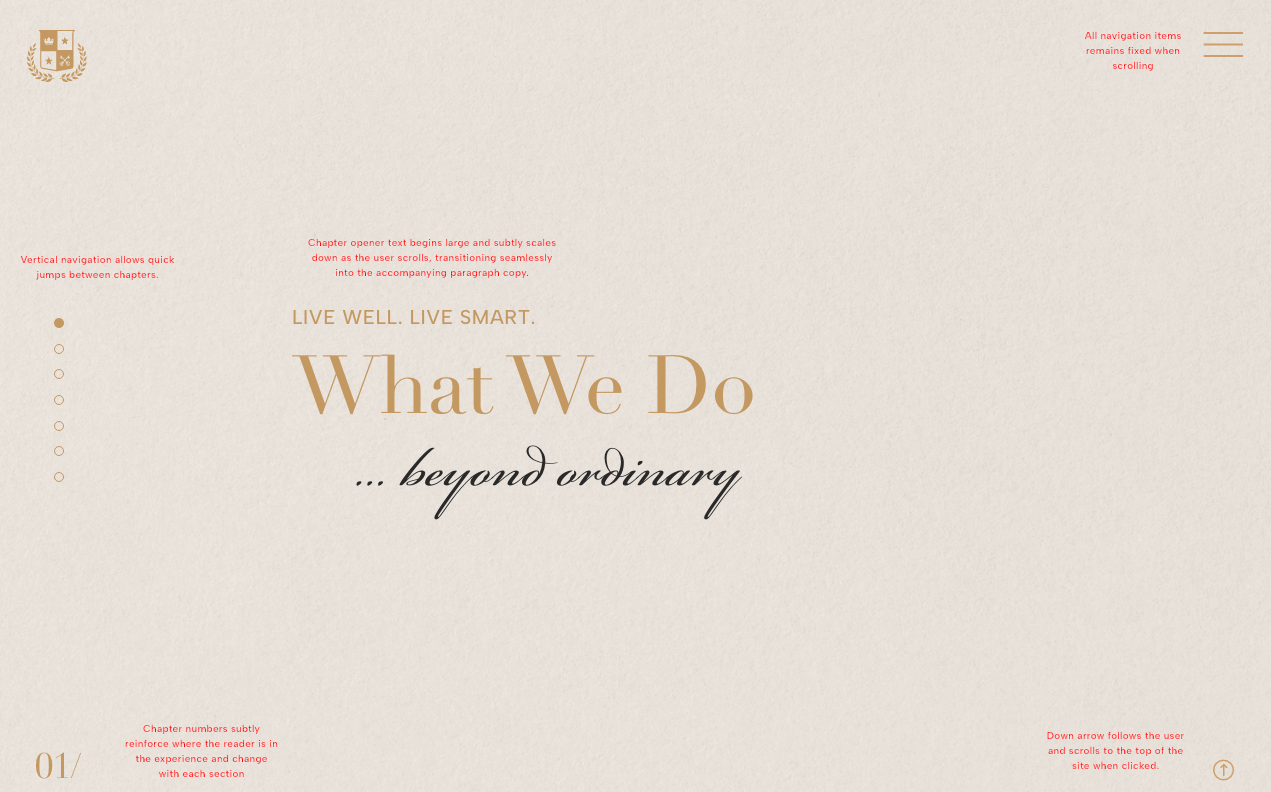
I'm trying to create a scroll-based animation similar to the “DEEP IMPACT” section seen in this template (where the text animates in as the user is scrolling). However, instead of text fading or sliding in, I'm looking for the headline text behavior to do the following:
- Starts large
- Scales down smoothly as the user scrolls. (Scroll-triggered scale transform)
- Position is fixed in the center of the viewport during this scroll interaction. (Sticky / pinned positioning with advanced scroll settings)
- No other elements should be visible in the viewport while the headline scaling animation is happening.
- Once the animation is complete, the paragraph section/content should scroll into view - see below
Paragraph Animation:
- Once the headline finishes scaling to its final size, the paragraph copy and list elements should fade in, with the animation triggered precisely at the end of the headline scaling. (Scroll-triggered fade-in)
- We’d like each line of text (in both the paragraph and list items) to animate in with a scroll-based effect, similar to what’s seen in the "TO CREATE..." section of this template: https://www.wix.com/website-template/view/html/3538
Background Textures:
- All background textures should remain fixed to the viewport height during scroll
- The fixed texture behavior should feel layered behind the content as users scroll through each animated section.
- Example: https://www.wix.com/website-template/view/html/3538
Attached are two wireframe screenshots:
#1 – The headline layout
#2 – The headline with the accompanying paragraph copy
DESCRIPTION
VOTE

EXAMPLES
Scroll-based Scaling Animation
APPLICANT

STATUS
Waiting
VOTES
0
CREATED
13 Jul 2025
bottom of page